Home > Software > System > Boot > Ventoy

Details
- Package ID
- ventoy
- Version
- 1.1.18
- Downloads
- 206497
- Website
- https://www.ventoy.net/
Summary
Ventoy is an open source tool to create bootable USB drive for ISO files.
Description
Summary
- Ventoy creates bootable USB drives with ISO/WIM/IMG/VHD(x)/EFI files.
- No need to format repeatedly; just copy files to USB and boot.
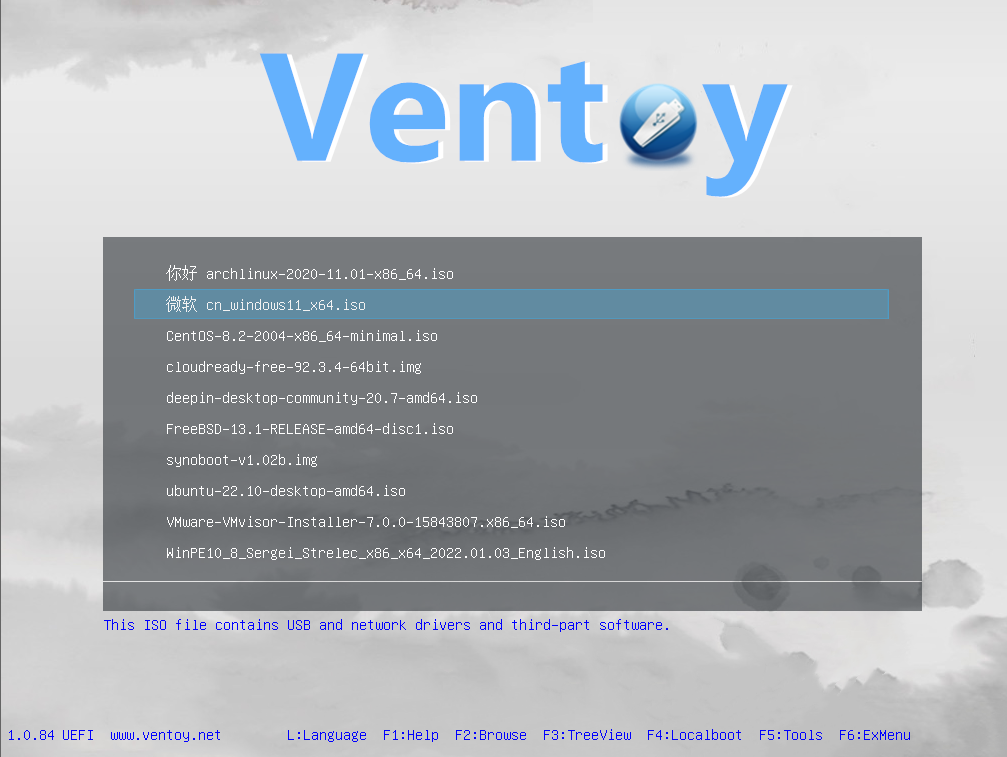
- Boot menu for multiple files (screenshot).
- Compatible with x86 Legacy BIOS, IA32 UEFI, x86_64 UEFI, ARM64 UEFI, MIPS64EL UEFI.
- Supports most OS types (Windows/WinPE/Linux/ChromeOS/Unix/VMware/Xen…).
- Tested with 1100+ image files (list).
Features
- 100% open-source license
- Fast & simple to use Get started
- Install on USB/Local Disk/SSD/NVMe/SD Card
- Boot directly from ISO/WIM/IMG/VHD(x)/EFI files
- Browse and boot files from local disk Notes
- Compatible with x86 Legacy BIOS, IA32 UEFI, x86_64 UEFI, ARM64 UEFI, MIPS64EL UEFI
- Supports Linux Persistence Notes
- Supports Windows auto installation Notes
- Much more…
See ventoy.net for details.
Package Parameters
Control the creation of desktop and start menu shortcuts during installation. Enable useRememberedArgumentsForUpgrades to remember arguments for upgrades (not enabled by default).
Disable Desktop Shortcuts
/NoDesktopShortcutVentoy: Disable desktop shortcut for Ventoy./NoDesktopShortcutVentoyPlugson: Disable desktop shortcut for Ventoy Plugson./NoDesktopShortcutVentoyVlnk: Disable desktop shortcut for Ventoy Vlnk.
Disable Start Menu Shortcuts
/NoStartMenuShortcutVentoy: Disable start menu shortcut for Ventoy./NoStartMenuShortcutVentoyPlugson: Disable start menu shortcut for Ventoy Plugson./NoStartMenuShortcutVentoyVlnk: Disable start menu shortcut for Ventoy Vlnk.
Create Desktop Shortcuts for Additional Executables
/CreateDesktopShortcutVentoy32: Create desktop shortcut for Ventoy (32-bit)./CreateDesktopShortcutVentoyPlugson32: Create desktop shortcut for Ventoy Plugson (32-bit)./CreateDesktopShortcutVentoyARM: Create desktop shortcut for Ventoy ARM./CreateDesktopShortcutVentoyARM64: Create desktop shortcut for Ventoy ARM64.
Create Start Menu Shortcuts for Additional Executables
/CreateStartMenuShortcutVentoy32: Create start menu shortcut for Ventoy (32-bit)./CreateStartMenuShortcutVentoyPlugson32: Create start menu shortcut for Ventoy Plugson (32-bit)./CreateStartMenuShortcutVentoyARM: Create start menu shortcut for Ventoy ARM./CreateStartMenuShortcutVentoyARM64: Create start menu shortcut for Ventoy ARM64.
Examples
Install Ventoy without creating any desktop shortcuts…
choco install ventoy -params '/NoDesktopShortcutVentoy /NoDesktopShortcutVentoyPlugson /NoDesktopShortcutVentoyVlnk'
Install Ventoy and create desktop shortcuts for Ventoy (32-bit) and Ventoy Plugson (32-bit)…
choco install ventoy -params '/CreateDesktopShortcutVentoy32 /CreateDesktopShortcutVentoyPlugson32'
Package Note
Starting with version 1.0.97.20240415, Ventoy is installed to $env:ChocolateyInstall\lib\ventoy. Before this, it was placed in $env:LocalAppData\ventoy, which is user-specific.
Starting with version 1.0.98.20240603, Ventoy Start Menu shortcuts are now created inside of the Ventoy folder. Before this, they were created in root of the Start Menu Programs folder.