Home > Software > System > Tweakers > ControlMyMonitor

Details
- Package ID
- controlmymonitor
- Version
- 1.43.0
- Downloads
- 2306
- Website
- https://www.nirsoft.net/utils/control_my_monitor.html
Summary
View and modify the settings of your monitor from command line or GUI
Description
ControlMyMonitor
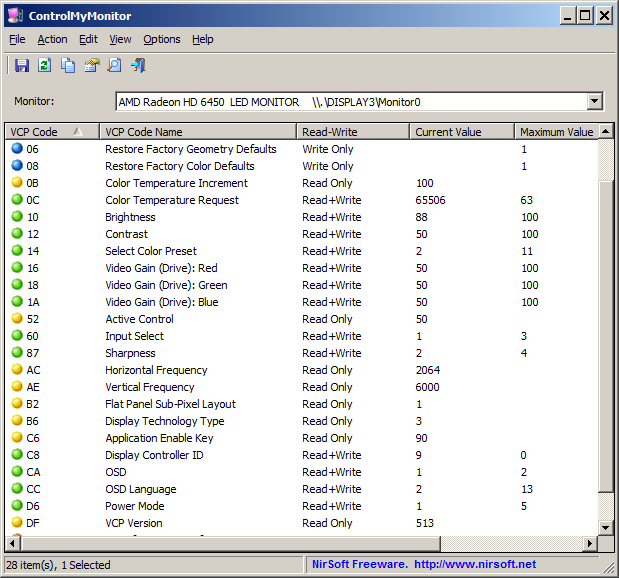
ControlMyMonitor allows you view and modify the settings of your monitor (Also known as ‘VCP Features’), like brightness, contrast, sharpness, red/green/blue color balance, OSD Language, Input Port (VGA, DVI, HDMI) and more…You can modify the monitor settings from the GUI and from command-line. You can also export all settings of your monitor into a configuration file and then later load the same configuration back into your monitor.
Package Parameters
/NoShim- Opt out of creating a GUI shim./NoDesktopShortcut- Opt out of creating a Desktop shortcut./NoProgramsShortcut- Opt out of creating a Programs shortcut in your Start Menu./Start- Automatically start ControlMyMonitor after installation completes.
Package Notes
For future upgrade operations, consider opting into Chocolatey’s useRememberedArgumentsForUpgrades feature to avoid having to pass the same arguments with each upgrade:
choco feature enable --name="'useRememberedArgumentsForUpgrades'"
Comments
Loading comments...