Home > Software > System > Virtual > Virtual CloneDrive

Details
- Package ID
- VirtualCloneDrive
- Version
- 5.5.3
- Downloads
- 80473
- Website
- https://www.elby.ch/en/products/vcd.html
Summary
Mount ISO files and use them like a physical drive
Description
Virtual CloneDrive works and behaves just like a physical CD, DVD, or Blu-ray drive, although it only exists virtually. Image files can be “inserted” into the virtual drive from your harddisk or from a network drive by just a double-click, and thus be used like a normal CD, DVD, or Blu-ray. Virtual CloneDrive supports up to 15 virtual drives at the same time - no matter if the image file contains audio, video or just simple data. Virtual CloneDrive is fully integrated in Windows Explorer context menus and on top of all it is free!
Features
- Mounts images as virtual drive
- Supports all common image formats such as ISO, BIN, IMG, UDF, DVD, and CCD
- Emulation of CD, DVD, and Blu-ray media
- Supports up to 15 virtual drives at the same time
- History of recently mounted images
- Automount last image
- Unmount image with eject button
- Seamless integration in Windows Explorer context menu
- Easy to use - just double-click an image file to mount as a drive
- Virtual CloneDrive is freeware, you may use it at no cost
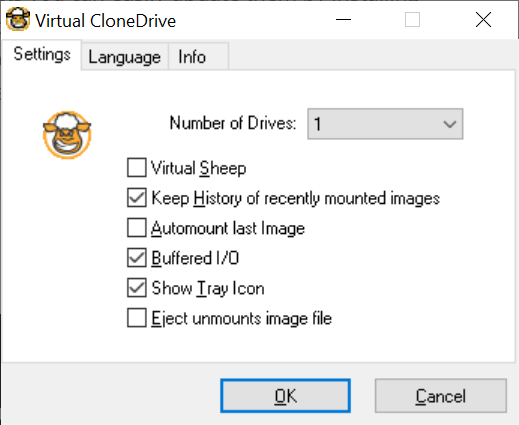
Package Parameters
The following package parameter can be set:
/AddToDesktop- this puts a shortcut on your desktop to configure Virtual CloneDrive.
This parameter can be passed to the installer with the use of --params.
For example: --params "/AddToDesktop".
To have Chocolatey remember parameters on upgrade, be sure to set choco feature enable -n=useRememberedArgumentsForUpgrades.
Notes
- For versions of Windows prior to Windows 10 a reboot is required before the software can be used
- This package is automatically updated using the Chocolatey Automatic Package Update Model (AU). If you find it is out of date by more than a day or two, please contact the maintainer(s) and let them know the package is no longer updating correctly.