Home > Software > Office > LaTeX > MiKTeX

Details
- Package ID
- miktex
- Version
- 25.3.0
- Downloads
- 393563
- Website
- http://miktex.org/
Summary
An implementation of TeX/LaTeX
Description
MiKTeX (pronounced mick-tech) is an up-to-date implementation of TeX/LaTeX and related programs. TeX is a typesetting system written by Donald Ervin Knuth who says that it is intended for the creation of beautiful books - and especially for books that contain a lot of mathematics.
MiKTeX comes with TeXworks, a TeX frontend which you can use it to edit and preview LaTeX documents.
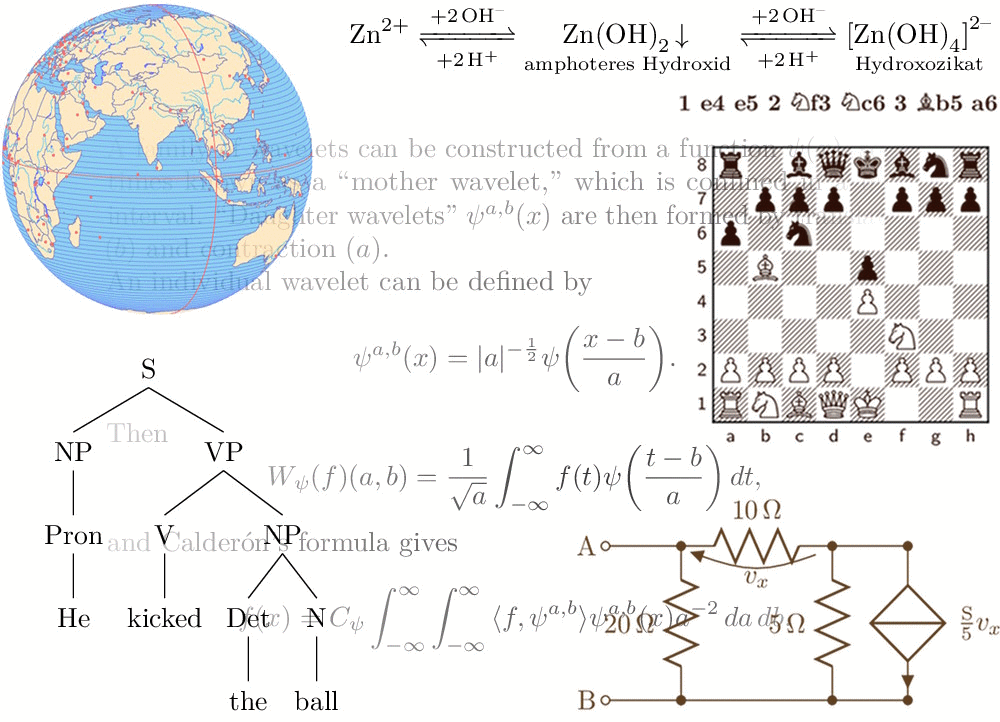 The sky is the limit when it comes to TeX/LaTeX, with drawings, chemical equations, syntax trees, circuit diagrams, mathematical expressions, proof systems, chessboards and more! (Image source)
MiKTeX’s integrated package manager installs missing components from the Internet, if required.
Package Set Parameter (optional)
/Set:(option)- Download and install theessential,basic(default), orcompleteset of TeX packages/tools./Mirror:(URL)- This will use the(url), a CTAN mirror to download MiKTeX. It is recommended to only use this if the default mirror as chosen by the MiKTeX setup utility doesn’t work for some reason.* Hint: Including/Mirror(valid or not) will write the list of "official", URLs to the Chocolatey log./ThisUser- This will install MiKTeX for only this user. **Note: This can cause confusion for other users as Chocolatey will claim MiKTeX is installed but other users will (potentially) not be able to see/use it.
Custom Repository Parameter (optional)
This package has only the MiKTeX setup utility embedded. Any new install of MiKTeX involves using the setup utility to download and create a (temporary by default) repository and then installing from that repository. This Chocolatey package can both establish a more permenant repository (for sharing with other computers) and use a specific (possibly private) repository from which to install MiKTeX. Thus a single computer within a network could download MiKTeX from the internet and create a repository, and all other computers on the network could use that repository to install MiKTeX saving external bandwidth.
Using a Custom Repository:
/RepoPath:(path)– with a local or UNC path. This will install or update MiKTeX from a specific existing repository. No attempt to update the repository itself will be made. Upgrades should use this repository in the future by default. Note: If both/RepoPath(with a UNC path) and/Mirrorare used,/Mirrorwill be ignored.
Creating a Custom Repository:
/RepoPath:(path)- with a local directory as(path). This will create (or update) the repository in the location. MiKTeX will also be installed. Note: The repository will not be shared or accessible to other systems without additional administrator actions and will not be removed on an uninstall.
Examples:
- On a server, you might use:
choco install miktex.install --params '"/Set:complete /RepoPath:""c:\Shared Files\MiKTeX-Repo"""'
Double-double quotes (i.e. ""path"") are necessary for paths containing a space.
- On a workstation in the same network, you might use:
choco install miktex.install --params '"/RepoPath:\\localserver\MiKTeX-Repo"'