Home > Software > Network > Network Tools > Trippy

Details
- Package ID
- trippy
- Version
- 0.13.0
- Downloads
- 800
- Website
- https://github.com/fujiapple852/trippy
Summary
Trippy combines the functionality of traceroute and ping and is designed to assist with the analysis of networking issues
Description
Trippy
Trippy combines the functionality of traceroute and ping and is designed to assist with the analysis of networking issues.
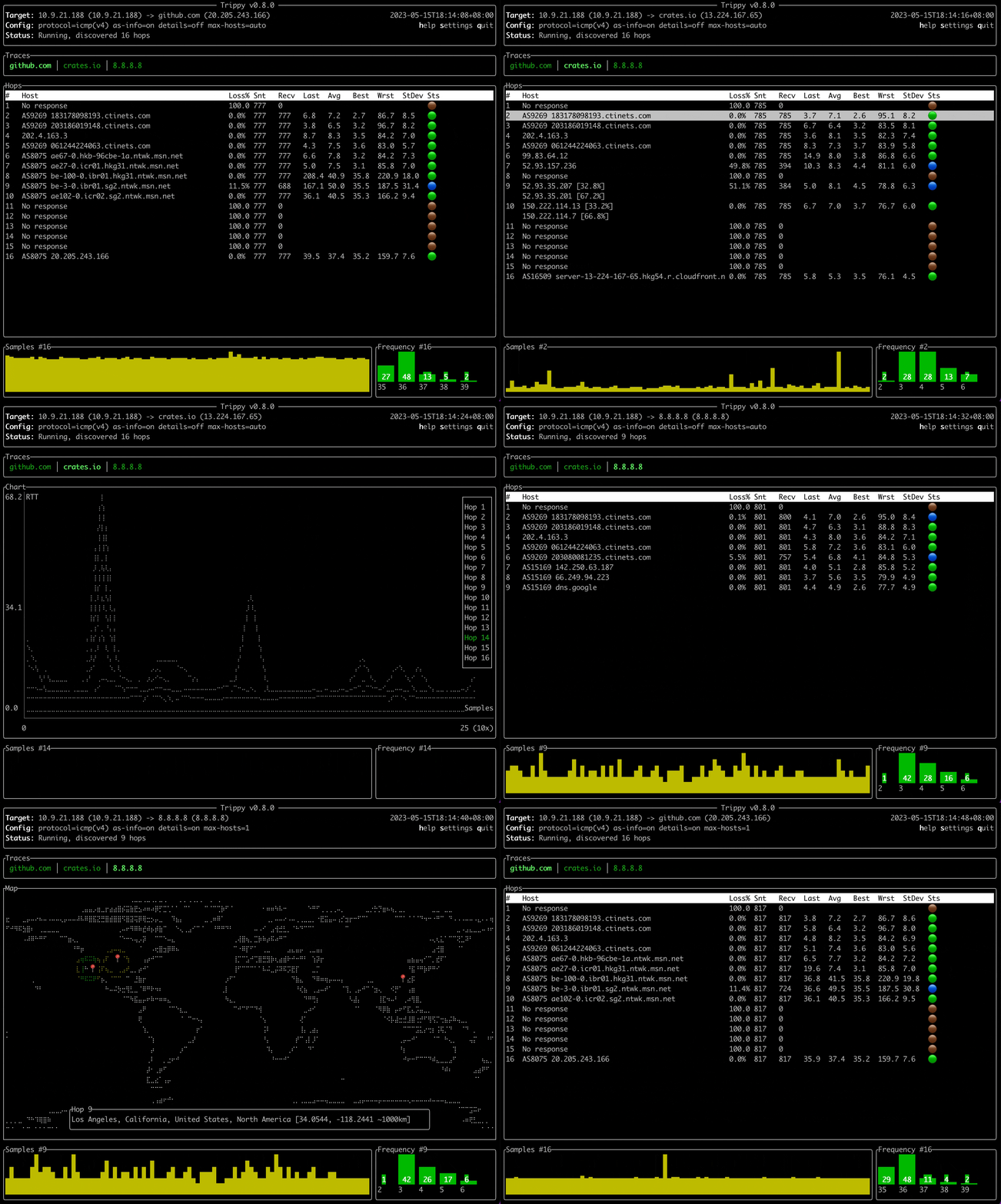
Features
- Trace using multiple protocols:
ICMP,UDP&TCPIPv4&IPv6
- Customizable tracing options:
- packet size & payload pattern
- start and maximum time-to-live (TTL)
- minimum and maximum round duration
- round end grace period & maximum number of unknown hops
- source & destination port (
TCP&UDP) - source address and source interface
TOS(akaDSCP + ECN)
- Support for
classic,parisanddublinEqual Cost Multi-path Routing strategies (tracking issue) - RFC4884 ICMP Multi-Part Messages
- Generic Extension Objects
- MPLS Label Stacks
- Unprivileged mode
- Tui interface:
- Trace multiple targets simultaneously from a single instance of Trippy
- Per hop stats (sent, received, loss%, last, avg, best, worst, stddev, jitter & status)
- Per hop round-trip-time (RTT) history and frequency distributing charts
- Interactive chart of RTT for all hops in a trace with zooming capability
- Interactive GeoIp world map
- Isolate and filter by individual tracing flows
- Customizable color theme & key bindings
- Customizable column order and visibility
- Configuration via both command line arguments and a configuration file
- Show multiple hosts per hop with ability to cap display to N hosts and show frequency %
- Show hop details and navigate hosts within each hop
- Freeze/unfreeze the Tui, reset the stats, flush the cache, preserve screen on exit
- Responsive UI with adjustable refresh rate
- Hop privacy
- DNS:
- Use system, external (Google
8.8.8.8or Cloudflare1.1.1.1) or custom resolver - Lazy reverse DNS queries
- Lookup autonomous system number (ASN) and name
- Use system, external (Google
- GeoIp:
- Generate tracing reports:
json,csv& tabular (pretty-printed and markdown)- Tracing
flowsreport - Graphviz
dotcharts - configurable reporting cycles
- Runs on multiple platform (macOS, Linux, Windows, NetBSD, FreeBSD, OpenBSD)
- Capabilities aware application (Linux only)
Privileges
Trippy normally requires elevated privileges due to the use of raw sockets. Enabling the required privileges for your platform can be achieved in several ways, as outlined below. Trippy can also be used without elevated privileged on certain platforms, with some limitations.
Trippy must be run with Administrator privileges on Windows.
Usage Examples
Basic usage with default parameters:
trip example.com
Trace without requiring elevated privileges (supported platforms only, see privileges):
trip example.com --unprivileged
Trace using the udp (or tcp or icmp) protocol (also aliases --icmp, --udp & --tcp):
trip example.com -p udp
Trace to multiple targets simultaneously (icmp protocol only,
see #72):
trip example.com google.com crates.io
Trace with a minimum round time of 250ms and a grace period of 50ms:
trip example.com -i 250ms -g 50ms
Package Parameters:
/GnuVersionInstall GNU version. By default MSVC version is installed.
eg. choco install -y trippy --package-parameters="/GnuVersion"