Home > Software > Development > Python > Spyder - The Scientific Python Development Environment

Details
- Package ID
- spyder
- Version
- 6.1.8
- Downloads
- 6396
- Website
- https://www.spyder-ide.org/
Summary
Python scientific environment and IDE
Description
Spyder is an open source, community-developed scientific environment and IDE written in Python, for Python
It combines the power of a comprehensive development tool with the speed of an interactive data exploration package, all in one easy-to-use interface.
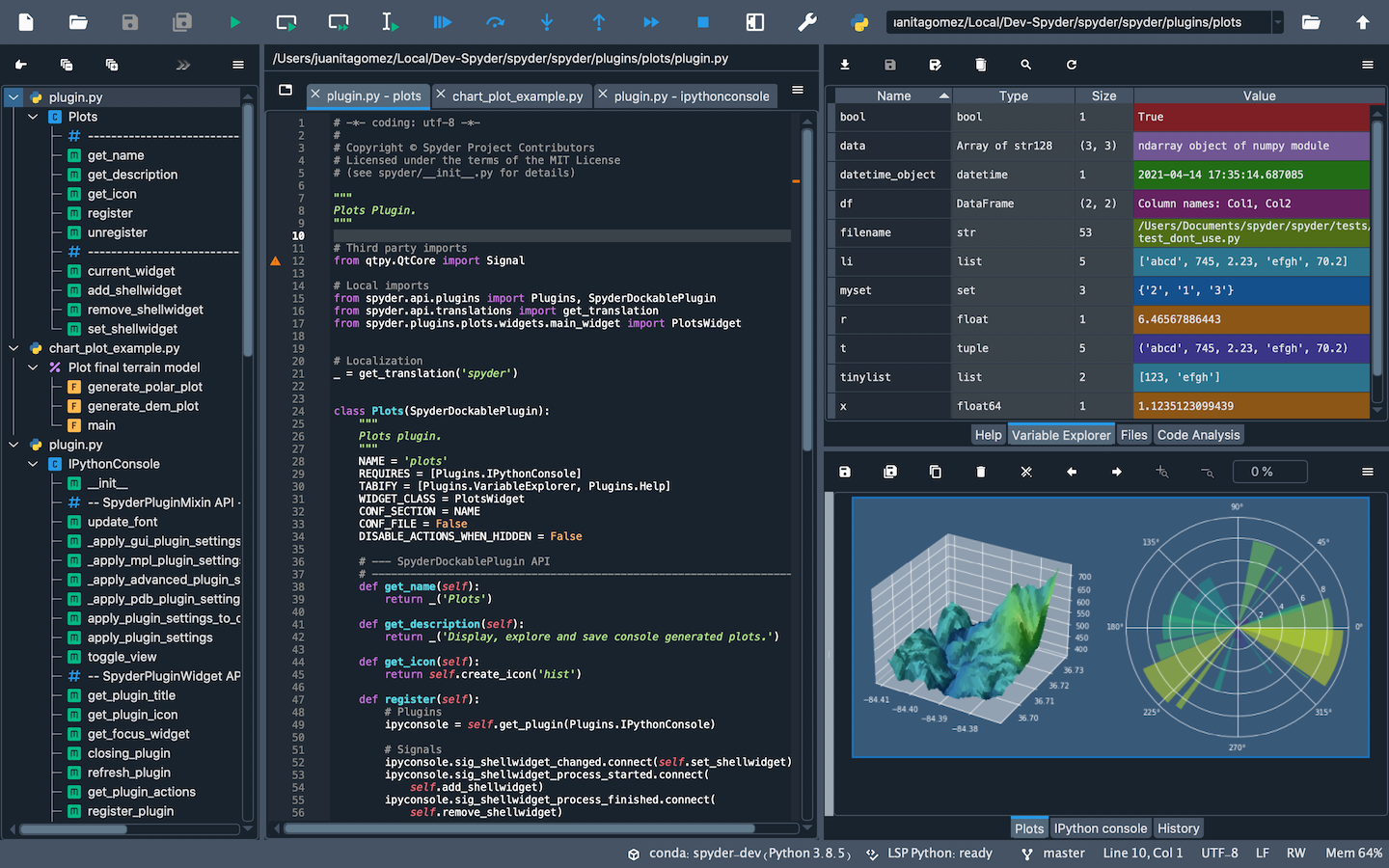
Features
- Editor - work efficiently in a multi-language editor with a function/class browser, real-time code analysis tools (pyflakes, pylint, and pycodestyle), automatic code completion (jedi and rope), horizontal/vertical splitting, and go-to-definition.
- Interactive console - harness the power of as many IPython consoles as you like with full workspace and debugging support, all within the flexibility of a full GUI interface. Instantly run your code by line, cell, or file, and render plots right inline with the output or in interactive windows
- Documentation viewer - render documentation in real-time with Sphinx for any class or function, whether external or user-created, from either the Editor or a Console.
- Variable explorer - inspect any variables, functions or objects created during your session. Editing and interaction is supported with many common types, including numeric/strings/bools, Python lists/tuples/dictionaries, dates/timedeltas, Numpy arrays, Pandas index/series/dataframes, PIL/Pillow images, and more.
- Development tools - examine your code with the static analyzer, trace its execution with the interactive debugger, and unleash its performance with the profiler. Keep things organized with project support and a built-in file explorer, and use find in files to search across entire projects with full regex support.
Package Parameters
KeepPkgCache- retain the local package cache after install eg.choco install spyder --package-parameters='"/KeepPkgCache"'NoRegistry- do not modify the registry with file associations eg.choco install spyder --package-parameters='"/NoRegistry"'NoShortcuts- do not add shortcuts for the application eg.choco install spyder --package-parameters='"/NoShortcuts"'RegisterPython- register the associated Python install as the system Python eg.choco install spyder --package-parameters='"/RegisterPython"'User- install the package for the current user only eg.choco install spyder --package-parameters='"/User"'
Notes
- This package is automatically updated using the Chocolatey Automatic Package Update Model (chocolatey-au). If you find it is out of date by more than a day or two, please contact the maintainer(s) and let them know the package is no longer updating correctly.
Comments
Loading comments...