Home > Software > Database > Managers > DbGate - The Smartest (no)SQL Database Client

Details
- Package ID
- dbgate
- Version
- 7.3.5
- Downloads
- 11671
- Website
- https://dbgate.org/
Summary
DbGate is a cross-platform (no)SQL database client
Description
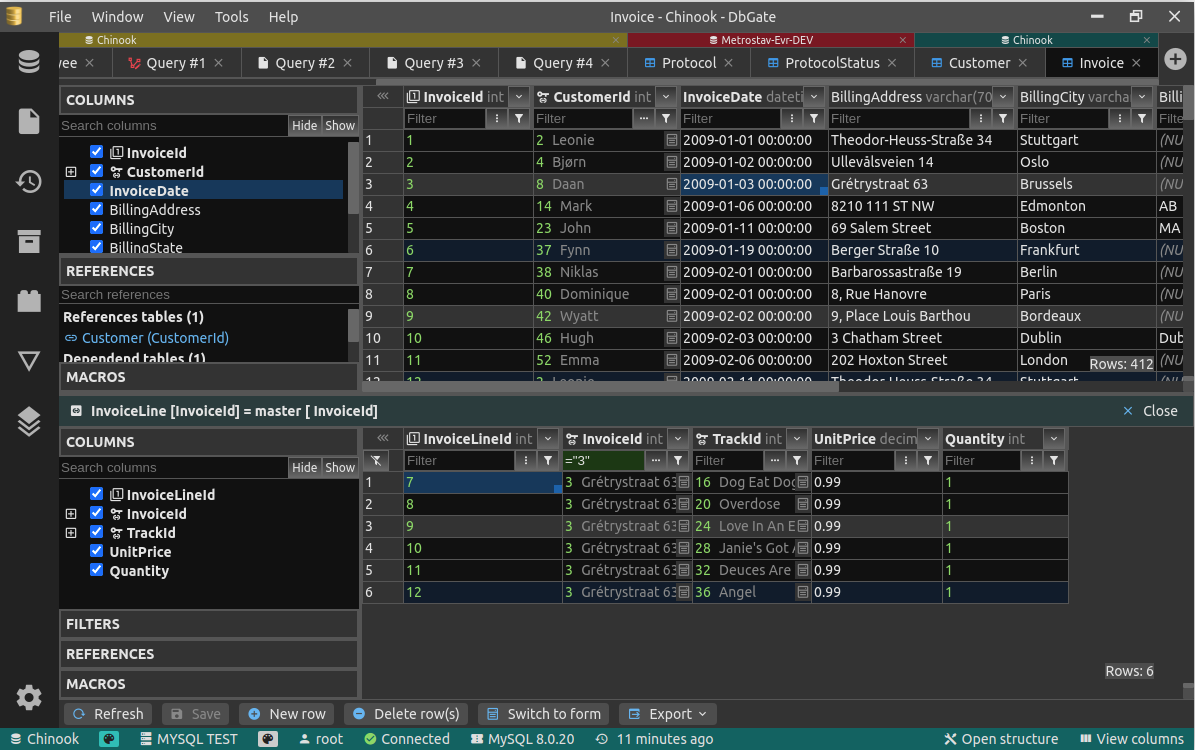
DbGate is cross-platform database manager. It’s designed to be simple to use and effective, when working with more databases simultaneously. But there are also many advanced features like schema compare, visual query designer, chart visualisation or batch export and import.
Features
- Table data editing, with SQL change script preview
- Edit table schema, indexes, primary and foreign keys
- Compare and synchronize database structure
- ER diagram
- Light and dark theme
- Master/detail views, foreign key lookups
- Query designer
- Form view for comfortable work with tables with many columns
- JSON view on MongoDB collections
- Explore tables, views, procedures, functions, MongoDB collections
- SQL editor
- execute SQL script
- SQL code formatter
- SQL code completion
- Add SQL LEFT/INNER/RIGHT join utility
- Mongo JavaScript editor, execute Mongo script (with NodeJs syntax)
- Runs as application for Windows, Linux and Mac. Or in Docker container on server and in web Browser on client.
- Import, export from/to CSV, Excel, JSON, XML
- Free table editor - quick table data editing (cleanup data after import/before export, prototype tables etc.)
- Archives - backup your data in JSON files on local filesystem (or on DbGate server, when using web application)
- Charts, export chart to HTML page
- Extensible plugin architecture
Package Parameters
The following package parameter can be set:
/AddToDesktop- add a desktop shortcut for DbGate. By default the shortcut will be added for all users e.g.choco install -y dbgate --package-parameters="/AddToDesktop"/AddToStart- add a shortcut to the start menu for DbGate. By default the shortcut will be added for all users e.g.choco install -y dbgate --package-parameters="/AddToStart"/User- where the user parameter is specified any shortcuts created (/AddToDesktopor/AddToStart) will only be added for the current user e.g.choco install -y dbgate --package-parameters="/AddToDesktop /User"
To have Chocolatey remember parameters on upgrade, be sure to set choco feature enable -n=useRememberedArgumentsForUpgrades.
Notes
- DbGate is only provided in a 64-bit version
- This package is automatically updated using the Chocolatey Automatic Package Update Model (AU). If you find it is out of date by more than a day or two, please contact the maintainer(s) and let them know the package is no longer updating correctly.
Comments
Loading comments...